

I shipped a Visual Studio extension to the marketplace in April, mostly to learn how extensions work. Then I forgot about it. A few months later I checked and 52 people had downloaded it. It didn’t actually work. That felt bad, so I fixed it.

The Problem
VS Code spoils you. Add a file on disk and it shows up in the explorer. Visual Studio doesn’t do that. If you want your /docs folder to feel like a first-class part of the solution, you’re doing the dance: show all files, include in project, repeat. I wanted a wiki tree in Solution Explorer that just worked, and I couldn’t find one.
What Wikidown Is
Wikidown keeps documentation as a structured markdown wiki in your repo. Same format Azure DevOps uses: .md files, folder hierarchy, .order files for navigation. Specs, test plans, meeting notes, whatever supports the project. One format, a few front-ends: a CLI, an MCP server for AI agents, a browser editor, and now the VS extension.
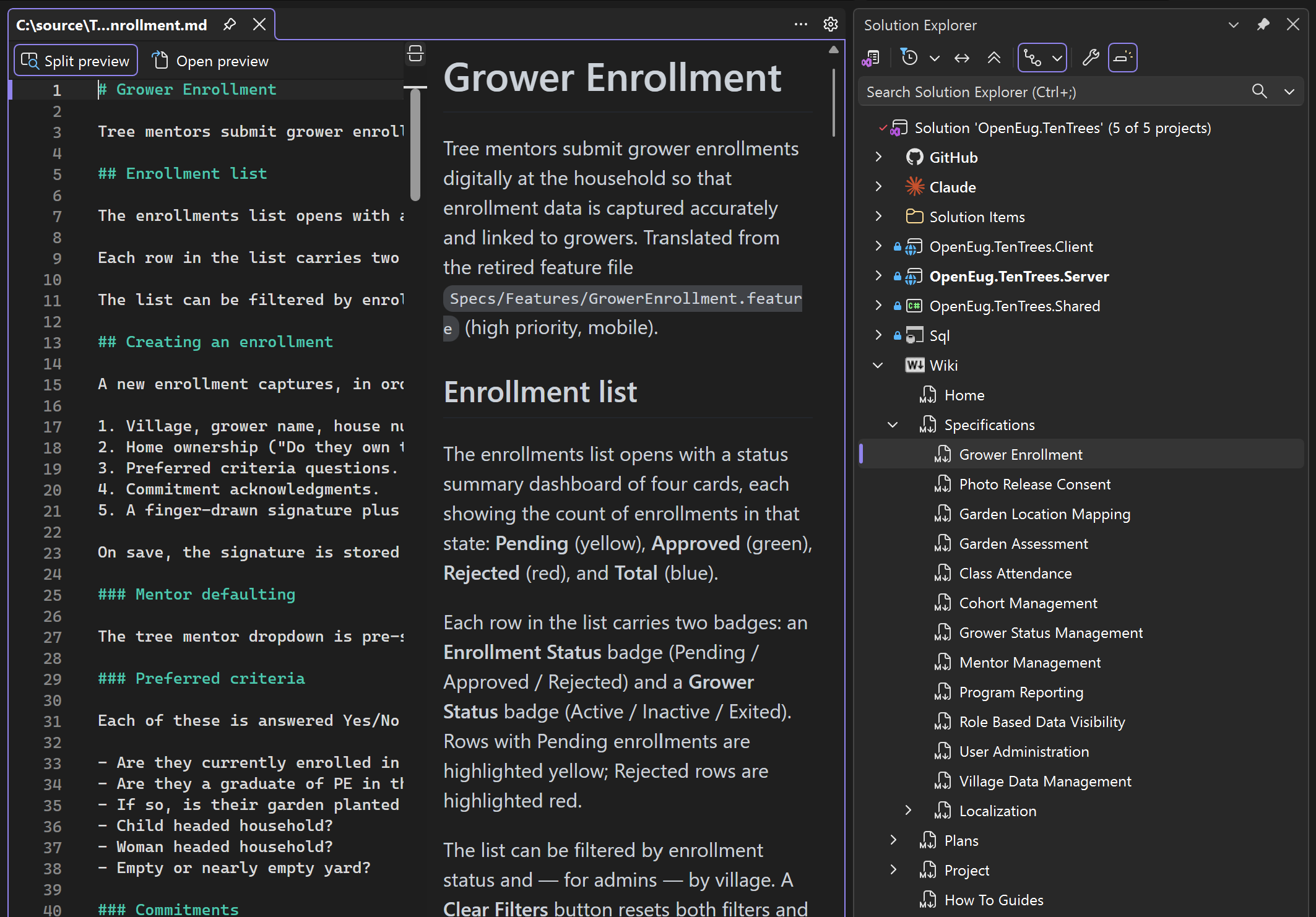
Drop a .wikidownproj in your solution and the docs/ tree appears in Solution Explorer. Page titles instead of filenames. .order files hidden but respected. Context menus for add, move, delete. A file watcher that refreshes the tree live when anything else touches the wiki.
That last part matters. If you have an AI agent editing pages in one window, Solution Explorer updates in the other. You stay in Visual Studio. You stop reaching for the file system.
The Better AI Story
AIs read markdown well. They write it sloppily if you let them. Without structure, you end up with orphaned pages and broken navigation because the .order files just get ignored. The MCP server gives agents proper tools: add a page, move a page, update the order. The extension makes the result visible without leaving the IDE.
Working in Visual Studio (not code) can feel like sitting in second class when working with AI tools. I happen to like working in VS and wanted a reason to stay there longer and not drop into VSCode or the Terminal to see my Markdown.
A Note on Extension Work
Building a minimal IVsHierarchy project type in 2026 is a gauntlet. OpenDocument called from inside your own hierarchy re-enters forever and hangs the UI. Right-click coordinates come in as a COM variant that throws if you cast it the obvious way, and the shell swallows the exception silently. Stable item IDs matter more than you’d expect.
I would not have taken this on without an AI coding agent doing the heavy lifting. The repo is there if you want to look. It’s not a template for beginners.
Try It
Extension: marketplace.visualstudio.com, search for Wikidown
Repo: github.com/markdav-is/Wikidown
More about the Project: https://wikidown.org